Best Video Editing Software for Mobile and Computer
86% of businesses utilize video as a marketing strategy to increase traffic, leads, and income, while 78% of people view web videos weekly. This is the definitive resource for the top video editing programs. You will need the appropriate video editing software to enhance your photographs, polish your audio, add transitions, cut, crop, and export high-quality videos. In recent years, video editing software has grown in popularity. If you want to produce professional-caliber videos, selecting the appropriate video editing program is crucial. The greatest video editing tool can assist you in reaching your objectives, from simple editing to color correction, special effects, and transitions.
What is the Best Video Editing Software?
For Mobile:
1. Adobe Premiere Pro
Around the world, YouTubers, filmmakers, and video editors use Adobe Premiere Pro, a professional-grade video editing program. It is a Video Editing Software that comes with a variety of tools for advanced video editing, color grading, audio mixing, and other tasks, and is a component of Adobe’s Creative Cloud package. Adobe Premiere Pro, a mobile video editing tool, may be used on iOS and Android smartphones. It is the preferred program for everything from TV ads to Hollywood movies and YouTube videos.
2. InShot (iOS, Android)
InShot is a useful video editing program for iOS and Android cellphones. It is frequently used for quick and easy adjustments, particularly for content on social media. With a variety of tools that make it simple for users to improve photos and videos, the app is made to be user-friendly. For casual content producers looking for a quick and simple video editing program, particularly for social media posts, InShot is a fantastic choice. Although it is user-friendly for novices, it nonetheless provides a wealth of options for producing high-quality footage.
3. Kinemaster (iOS, Android)
For iOS and Android smartphones, Kinemaster is a robust and feature-rich mobile video editing tool. It offers a range of tools for professionally editing videos and is made for those who are novice to proficient video editors. Kinemaster is a flexible video editing software that can be used by both novice and expert editors. It is perfect for producing content that looks professional thanks to its extensive feature set and strong editing tools, especially for social media and creative projects.
4. CapCut (iOS, Android)
ByteDance, the same company that created TikTok, created CapCut, a free and easy-to-use video editing software for iOS and Android smartphones. It’s made for people who want to make and edit videos fast, especially for social media. Enables users to perform more intricate modifications by working with many layers of text, audio, and video. Narration, sound effects, and music are all included. Additionally, users can apply audio effects and change the audio levels. Is it also available? Videos can be shared straight to social media sites like YouTube, Instagram, and TikTok and exported in high formats up to 4K.
For Computer:
1. Adobe Premiere Pro (Windows, Mac)
Video producers, content creators, and filmmakers from a variety of businesses use Adobe Premiere Pro, a professional-grade video editing software. It is compatible with both Windows and macOS and is a component of the Adobe Creative Cloud suite. The Lametra Color panel is one of the powerful color grading and correction tools available. a program that is the industry standard for high-end video editing in television, movies, and internet content production.
Professionals and serious content makers are the target audience for Adobe Premiere Pro, a premium video editing program. It’s perfect for creating high-quality video projects, from TV and movies to documentaries and web videos, thanks to its extensive collection of tools for sophisticated editing, color correction, and integration with other Adobe programs.
3. DaVinci Resolve (Windows, Mac, Linux)
Blackmagic Design created the professional video editing program DaVinci Resolve, which is compatible with Linux, Windows, and macOS. It is renowned for its potent capabilities in audio post-production, visual effects, color grading, and video editing. The film and television industries utilize DaVinci Resolve extensively because of its extensive toolkit and excellent results. DaVinci Resolve is a full-featured professional video editing solution that includes advanced color grading, visual effects, and audio post-production.
4. HitFilm Express (Windows, Mac)
FXhome created the feature-rich, good free video editing software and visual effects program HitFilm Express. Offering a range of top-notch tools for video editing, 3D compositing, and visual effects, it is made for both novice and experienced video editors. HitFilm Express works with both macOS and Windows. A sophisticated and adaptable video editing program, HitFilm Express combines 3D compositing, visual effects, and video editing on one platform.
5. Camtasia Video Editing Software
TechSmith created Camtasia, a robust and intuitive program that makes it simple to record your screen and edit recordings. With no need for sophisticated video editing abilities, educators, trainers, marketers, and content producers utilize it extensively to create films that look professional.
User benefits
- To record your screen, webcam, and microphone, use the Camtasia recorder.
- Put PowerPoint slides, pictures, music, and video in your media bin.
- To cut clips, add effects, text, callouts, and transitions, use the drag-and-drop timeline.
- Include voiceovers, green screen, zoom/pan, and cursor effects.
- After rendering, you can share your video online or store it on your PC.
6. Filmora (Windows, Mac)
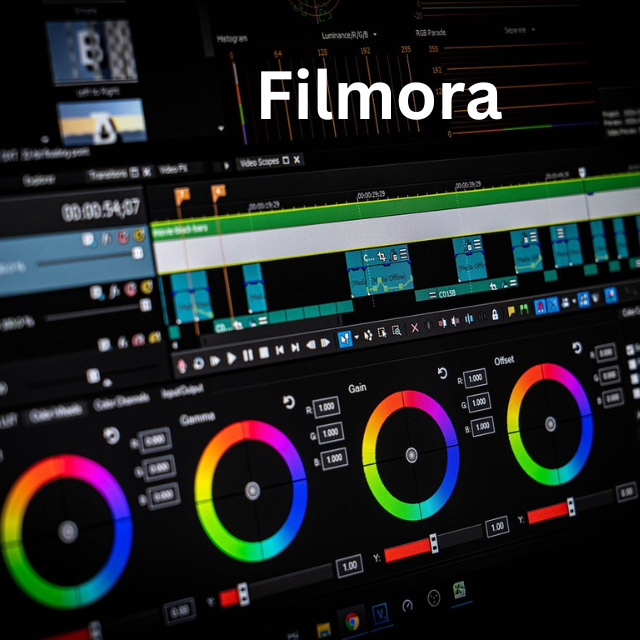
For both beginner and expert users, Filmora is an easy-to-use video editing program. It provides a variety of functionality and creative tools that let users quickly and simply produce high-quality videos. Filmora, which is compatible with Windows and macOS, is well-liked by YouTubers, social media producers, and enthusiasts. Beginners and intermediate users who want to produce high-quality videos without the challenging learning curve that comes with using professional video editing software will find it ideal. It is a well-liked option for YouTubers, hobbyists, and social media video producers due to its broad feature set and reasonable cost.
In Conclusion
When searching for video editing software, compatibility should be the first feature you check for. How much work you’re willing to invest in the software will determine which one you choose. Both your source material and the output format you intend to utilize should be compatible with the program you select. You must be aware of the file types that the program can handle. Make sure it can import and edit DV or AVI video files, in particular.
